Laand for Google Drive
From yes to day one, in one shared folder.
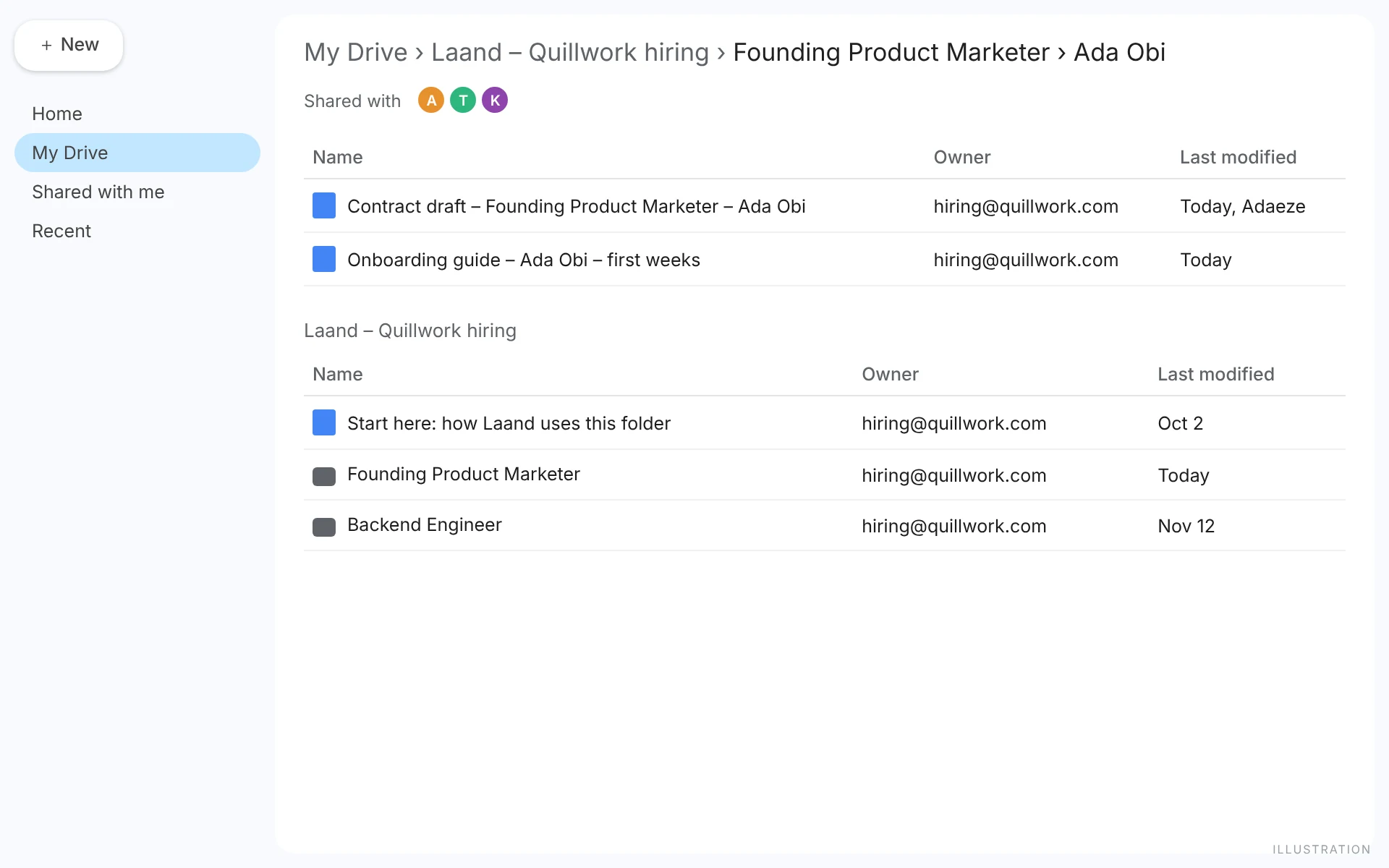
Connect once, and every contract draft and onboarding guide Laand writes lands in one folder your whole team can open. Laand can only ever see the files it made.

A note from Victor
The week you decide to hire someone is the week a small team is least prepared for. The contract template is in someone's old email, the onboarding doc is three Notion pages out of date, and the new person starts on a Monday with a laptop and no plan.
So when you choose someone in Laand, it drafts the contract from what you agreed and writes their onboarding guide from the milestone you hired them for, and puts both in a folder your team already shares.
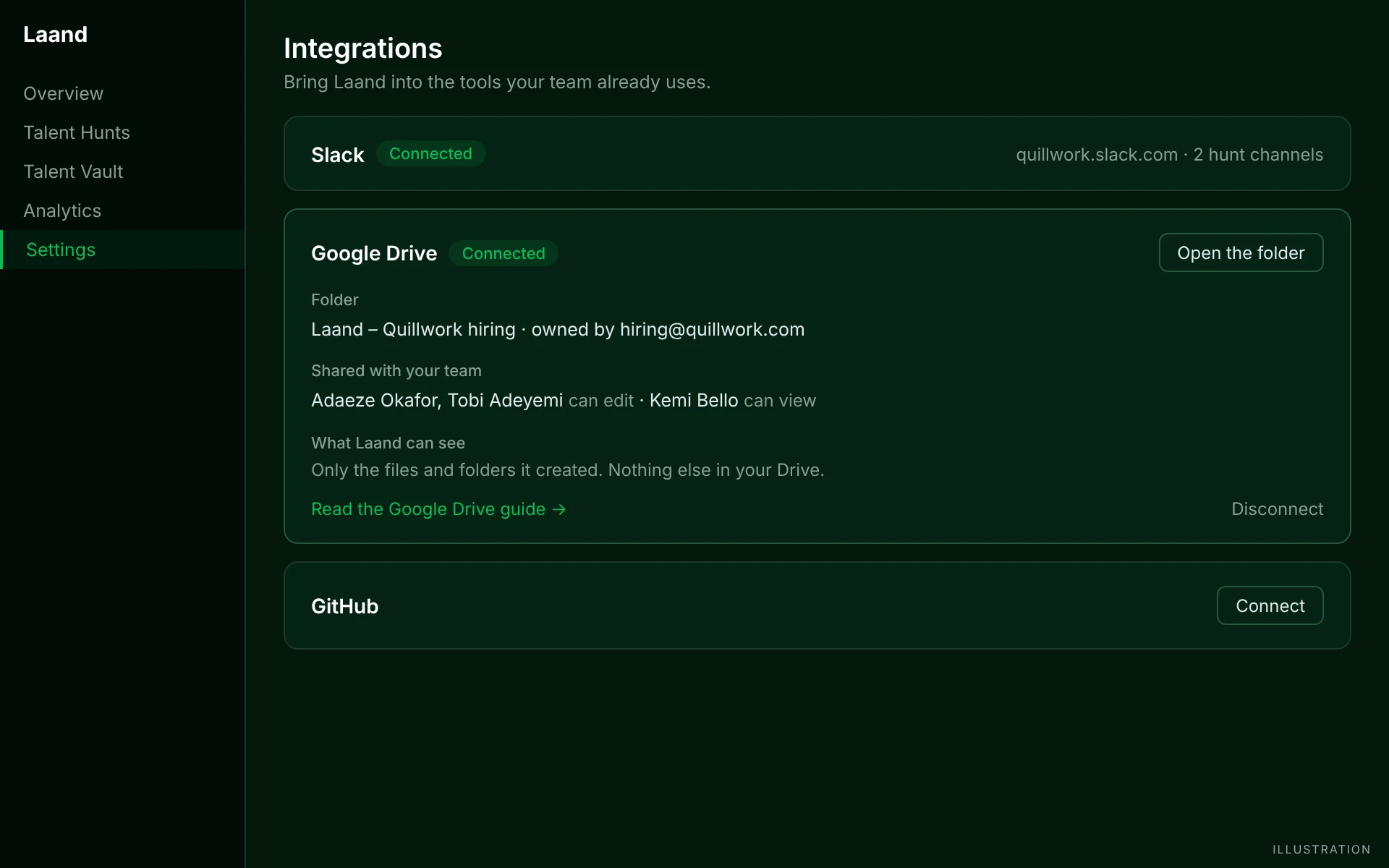
I was strict about one thing: Laand asks Google for the smallest permission there is. It can create files and see the ones it created. Nothing else in your Drive.
Victor
Set it up
An owner or admin, once for the whole team.
- 1In Laand, open Settings › Integrations and press Connect Google Drive.
- 2Choose the Google account that should own the folder (a shared hiring or ops account is ideal) and allow access to files Laand creates.
- 3Laand makes one folder, Laand – <your company> hiring, with a Start here doc inside, and shares it with your team: owners and admins can edit, members can view.
Your first week
What happens after you connect, in the order you'll see it.
- 01
One folder, already shared
The folder appears in your Drive with a short Start here doc that links back to this guide. Everyone on your Laand team gets access automatically, and it stays in step: when someone joins, changes role or leaves Laand, the folder follows. People you added by hand are never touched.
- 02
You choose someone
In Hire the Best, once you've unlocked someone and want them, choose “Or let Laand draft the contract” and press Generate contract draft. Laand writes it from the role and the terms you set, and saves it as a Google Doc in <role>/<their name>. Edit it like any doc; regenerating never overwrites your changes.
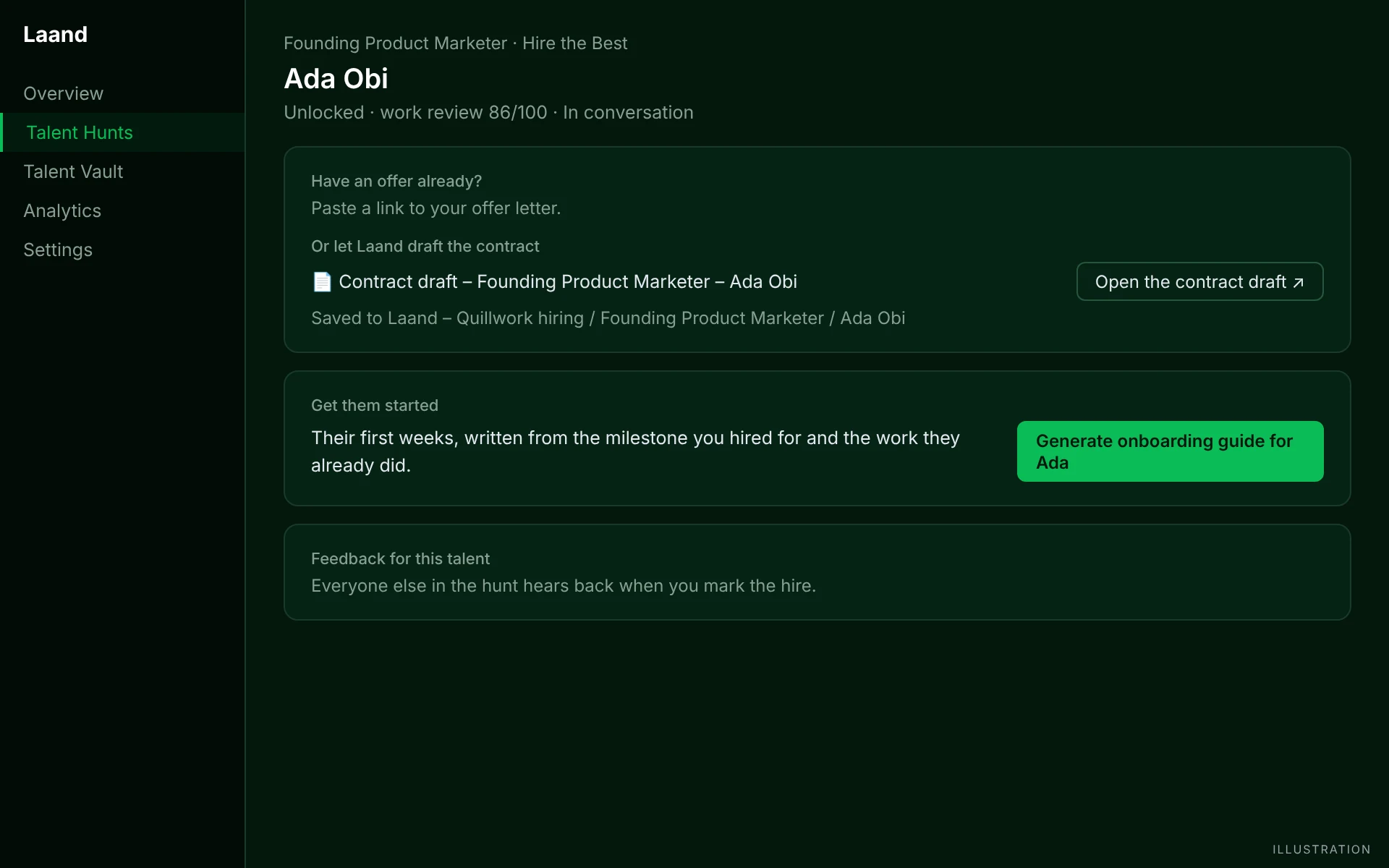
Draft, save, edit. Your lawyer still reads it; you just don't start from a blank page. - 03
Their first week, written
Press Generate onboarding guide and Laand writes their first 90 days from the milestone you hired for, the problems the Deep Analysis found and the work they already did in their micro-project. They start on day one knowing what good looks like.
How small teams run it
For teams under 20, where the founders still make every hire.
Connect a shared account, not your personal one
The connected account owns the folder. If you have an ops@ or hiring@ Google account, use it, so the folder doesn't leave with a person.
Have the founder who'll manage the hire edit the onboarding guide
Laand's draft gets you 80% there. The 20% only the manager knows (who to meet first, which decision is theirs) is what makes week one feel intentional.
Keep the folder as the record
Every hire's contract and plan in one place makes your next hire, and your first due diligence, much easier.
What it never does
- Laand uses Google's drive.file permission only: it can create files and see the files it created. It can't read, search or list anything else in your Drive.
- No email, no calendar. Interviews stay on your own booking link, and emails stay drafts you send yourself.
- Disconnect any time. Laand revokes its access at Google; the files stay in your Drive, because they're yours.
Questions
- Do my teammates need Google accounts?
- To open the docs, yes. Google emails each teammate when the folder is shared with them.
- Can Laand see my other files?
- No. It can only see files and folders it created.
- What if I don't connect Drive?
- Each person can still save documents to their own Drive from Hire the Best, one at a time. Connecting makes it one shared folder for everyone.
- Is it free?
- Yes. Connecting Drive and drafting documents cost nothing.
Hiring this quarter?
Start a Talent Hunt and meet people who've already done the work.