Laand for ChatGPT
Ask ChatGPT about your hiring, and act on the answer.
Connect Laand to ChatGPT and ask about your roles, candidates and numbers, start new hunts, and shape their micro-projects, without opening another tab.

A note from Victor
Small teams don't need another dashboard. You need the hiring to happen where you already work, without giving up the judgement that makes a hire right.
Plenty of founders run their week from ChatGPT. Once Laand is connected, the same chat that drafts your investor update can tell you which role is stuck and why.
Your agent acts as you, with your role on the team, and sees exactly what you'd see in Laand. Candidates stay anonymous until you unlock them, and anything that spends money stays a click in Laand.
Victor
Set it up
Each person on your team connects their own, in about two minutes. No API keys.
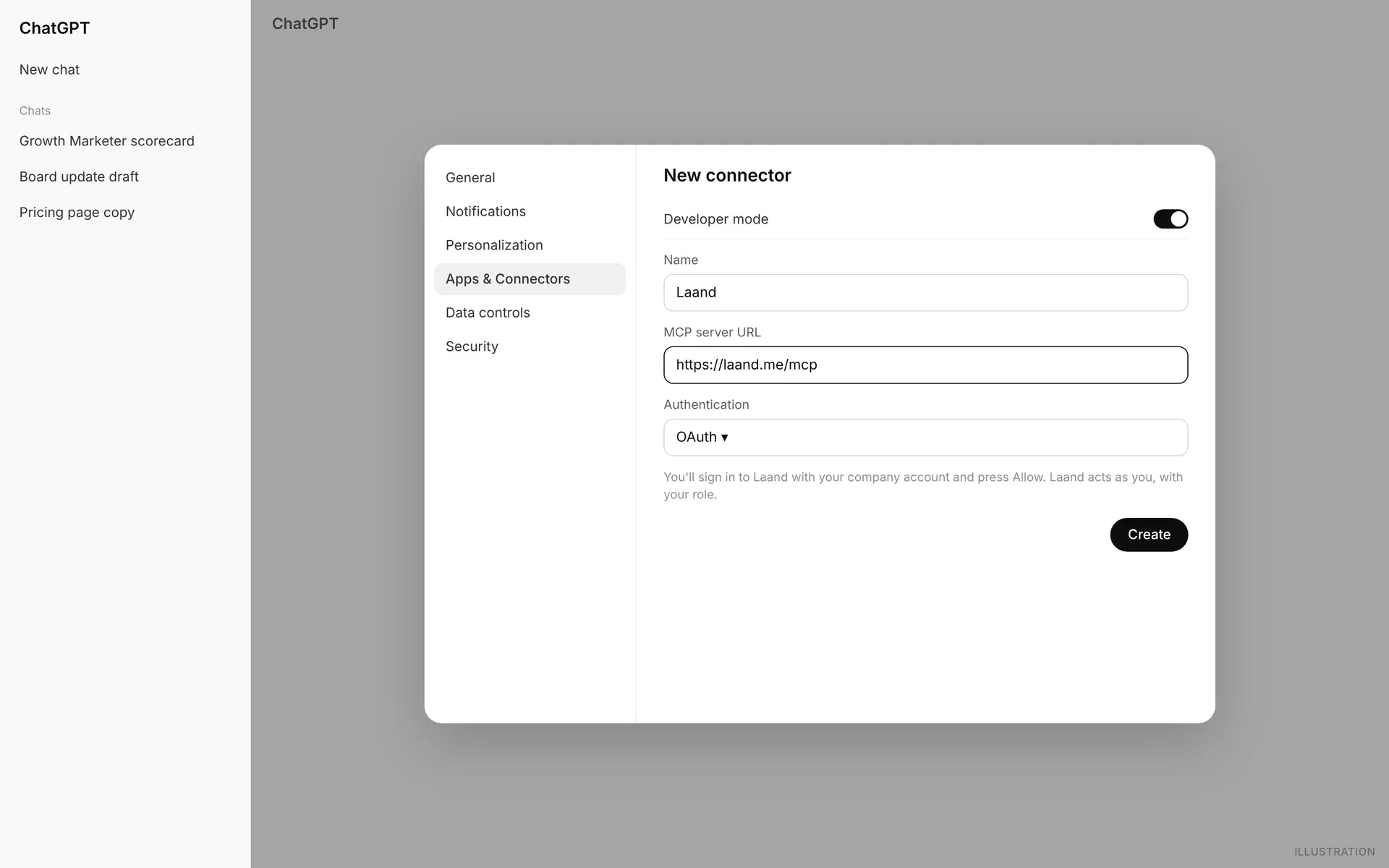
- 1In ChatGPT: Settings › Apps & Connectors › Advanced, turn on developer mode, then create a connector.
- 2Use this URL, with OAuth sign-in:
https://laand.me/mcp
- 3Custom connectors need ChatGPT's developer mode, available on paid plans.
Your first week
What happens after you connect, in the order you'll see it.
- 01
Hire, or let agents do it?
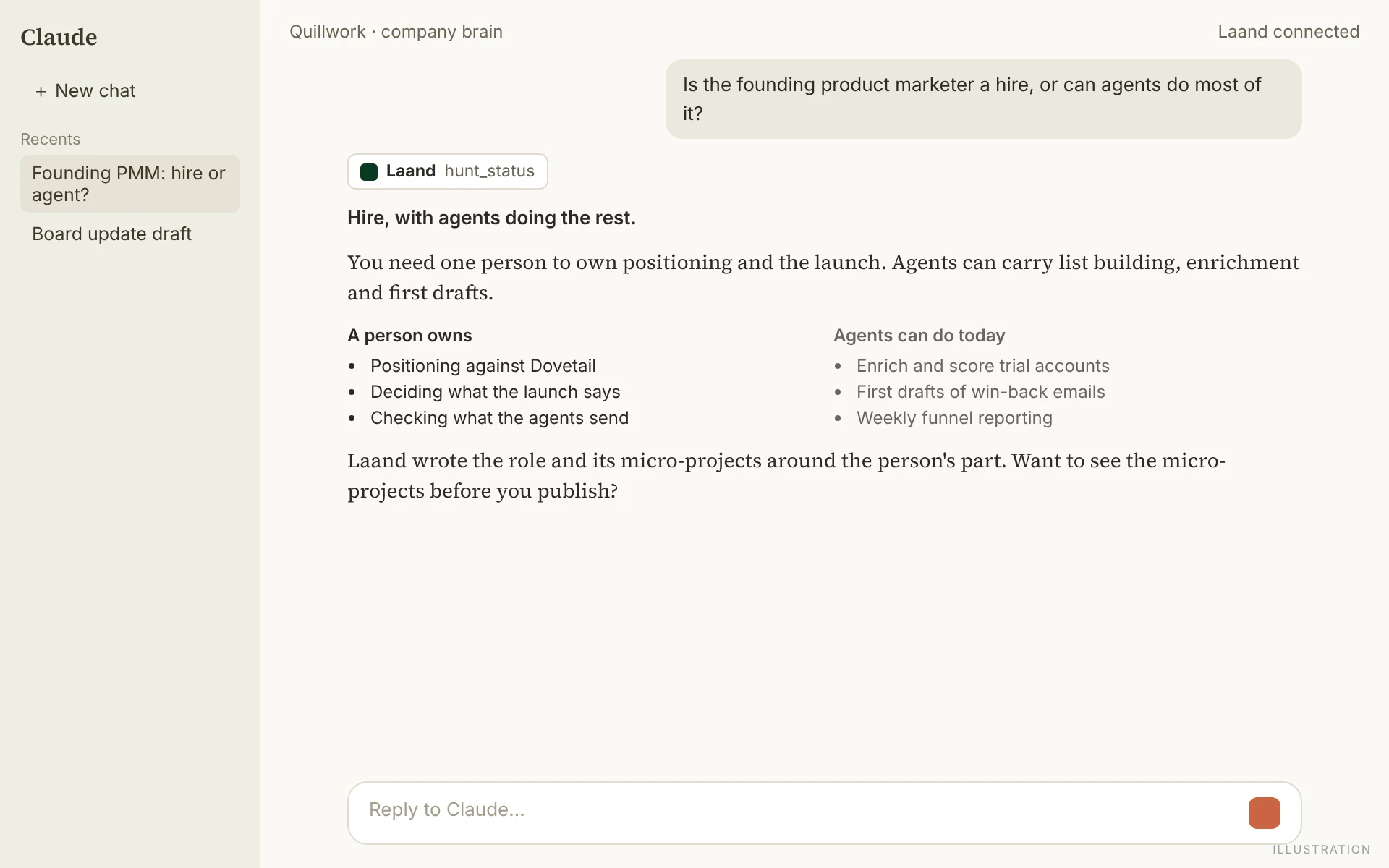
Start a hunt in ChatGPT and, once it's analysed, ask whether you need a person at all. Laand's answer splits the milestone into what agents can already do and what a person must own, and the role is written around the person's part.
A straight answer before you open a role. - 02
Who's waiting, and whose work is best
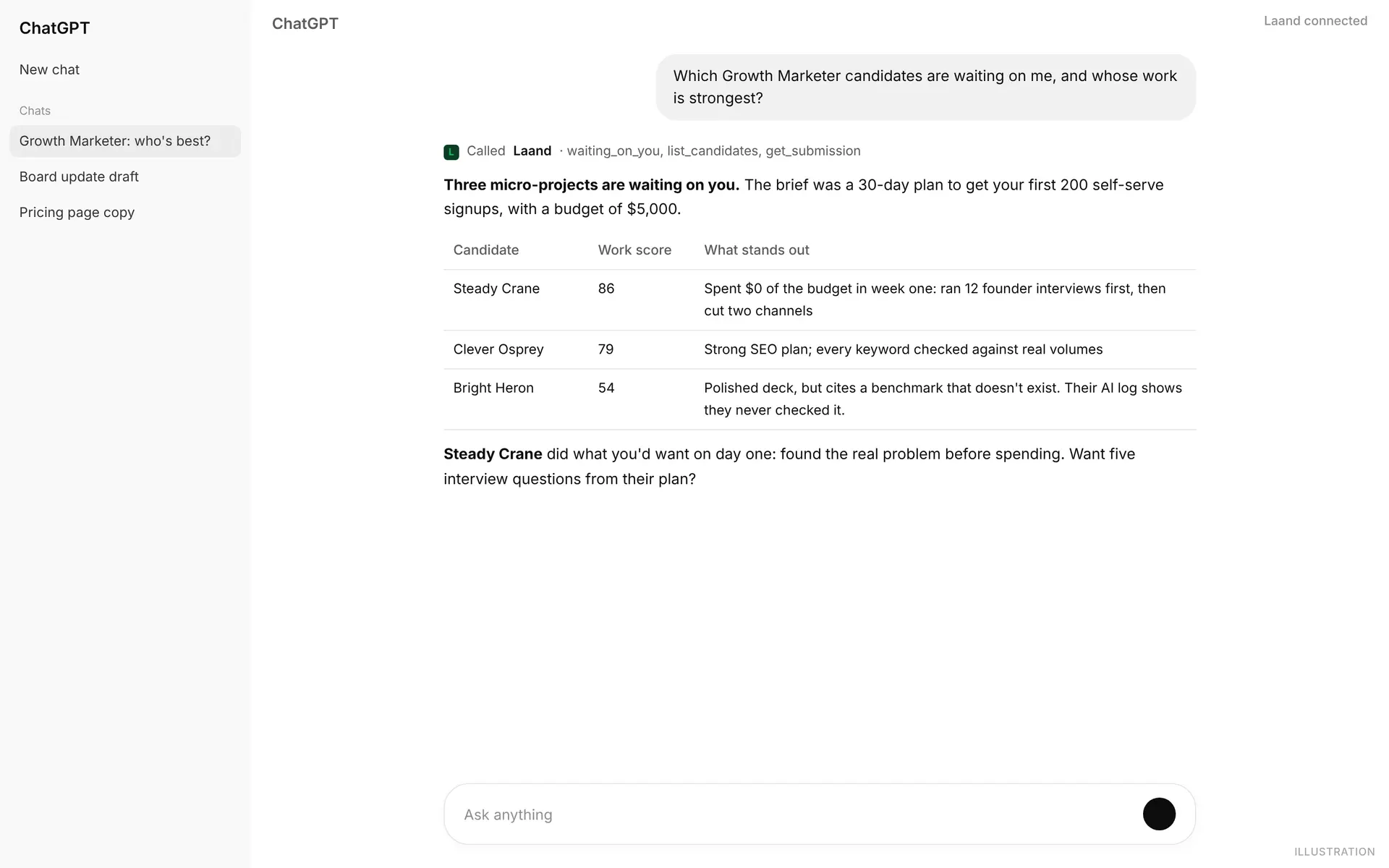
Ask which candidates are waiting on you and whose work is strongest. ChatGPT reads waiting_on_you, the candidates and their reviews, and answers in a table. Ask ask_hiring_data for the bigger picture: where your best people come from, how long each stage takes.
- 03
Shape the paid work
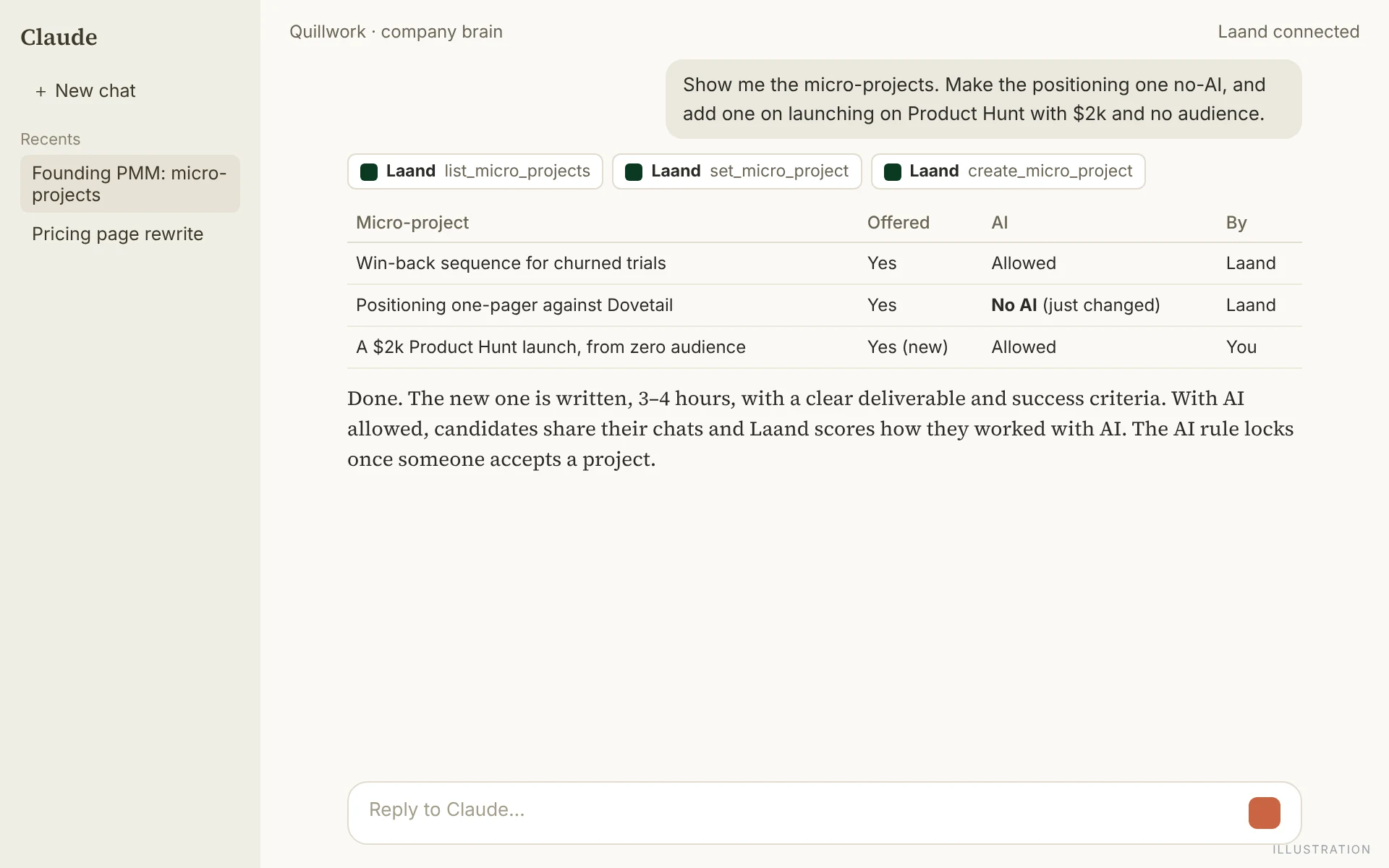
Ask your agent to list a role's micro-projects, offer or withdraw each one, and allow or forbid AI on it. Or describe a project you want and Laand drafts it and offers it to talent. The AI rule locks once a candidate accepts, so nobody's rules change mid-project.
List, switch off AI, add your own: three requests. - 04
Unlock, then everything
Until you unlock a candidate who's sent their work, your agent sees what you see: a made-up name, scores and the opening of Laand's review. Unlock them in Laand (your agent gives you the link and the price) and the full review, their contact details and the work itself arrive in your agent.
How small teams run it
For teams under 20, where the founders still make every hire.
Connect it for every founder who hires
Each person connects their own agent and acts as themselves. Members can read everything and leave their say; owners and admins can also act.
Start every role with one honest paragraph
Tell your agent what's broken and what success looks like in a year. Laand turns it into Target Parameters and asks only for the gaps, and the Deep Analysis is only as good as that paragraph.
Ask "hire or agent?" before you publish
If agents can do most of a milestone today, you may need a different hire, or a smaller one. Better to find out before you spend a stipend.
Let the agent do the reading, keep the deciding
Have it compare submissions, run the code and draft questions. Then meet the person. The tools are built so the decision is always yours.
What it never does
- Anonymous until you unlock: your agent never sees a name, contact or the work itself before you do.
- Paying to unlock, inviting to a paid micro-project and marking the hire happen in Laand. Your agent answers with the link.
- OAuth sign-in, no API keys. Tokens renew hourly; disconnect any agent in Settings › Integrations.
- Every action from an agent is recorded as yours, "from an AI agent", in Laand and in Slack.
Questions
- Does ChatGPT see my candidates' names?
- Only after you unlock a candidate who has sent their work, exactly as in Laand.
- Can it spend money?
- No. It can tell you the price and give you the link; a person pays in Laand.
- Can it create micro-projects?
- Yes. Describe what you want and Laand drafts a fair brief, written or code, and offers it to talent. You can also switch AI on or off for each one.
- Is our data used to train AI?
- No. Laand's data rules apply to every agent connection. See laand.me/security.
- What does it cost?
- Nothing to connect. You pay Laand per candidate you unlock, as everywhere else.
Hiring this quarter?
Start a Talent Hunt and meet people who've already done the work.